Heat pump management online for home heating and climate
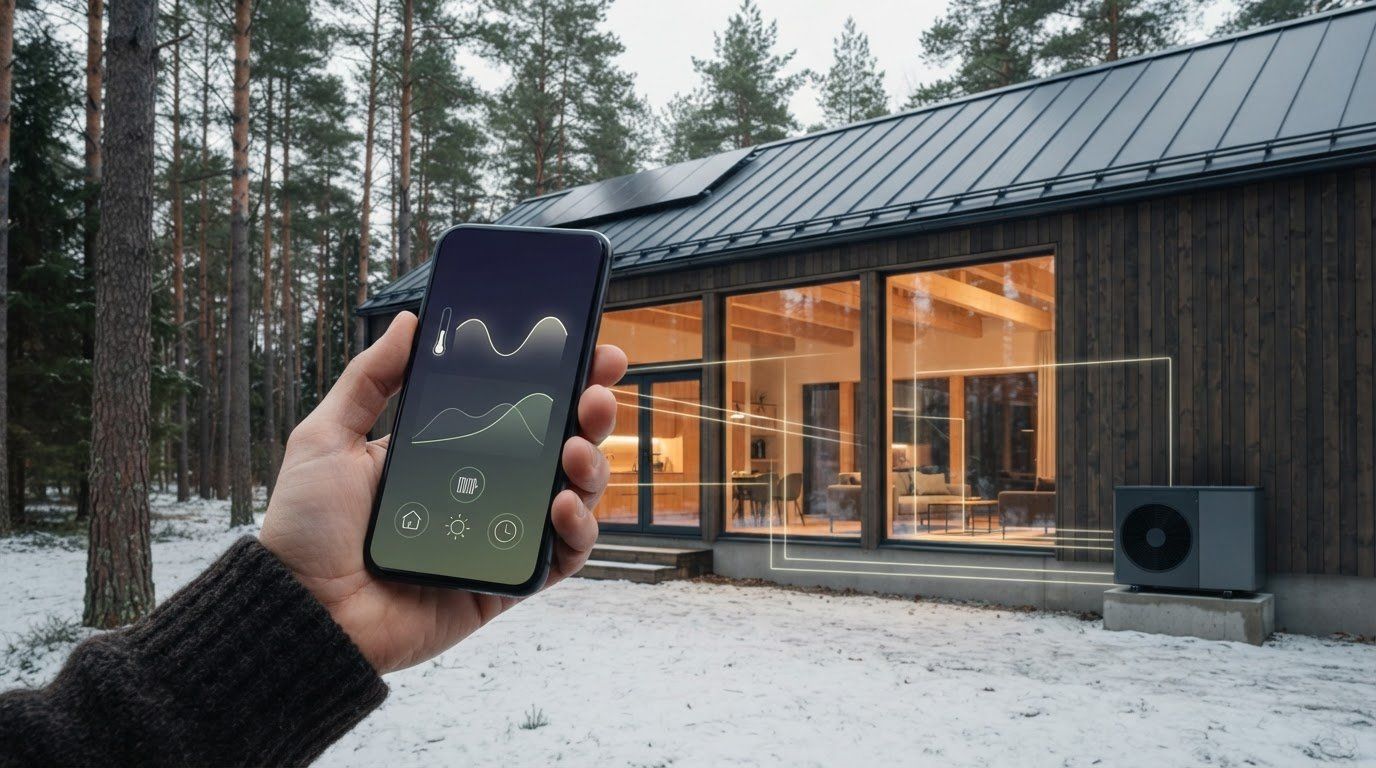
The heating schedule can also be adjusted when you are not at home. In newer models, the control of the heat pump through the Internet allows you to change settings remotely and create operating schedules. Smart management also helps to manage the microclimate of the house.
It is convenient to have a warm home just when it is needed and not to mention whether the heating works according to your daily rhythm. Remote control allows you to monitor the system's performance, review consumption and adjust settings without being at the heat pump.
In this article, you will find out how to monitor the consumption of the heat pump on the Internet, set heating schedules and manage the microclimate of the house. We will also see how settings and heating type affect the system's performance and what should be considered when choosing remote control solution.
Monitoring and optimisation of energy consumption
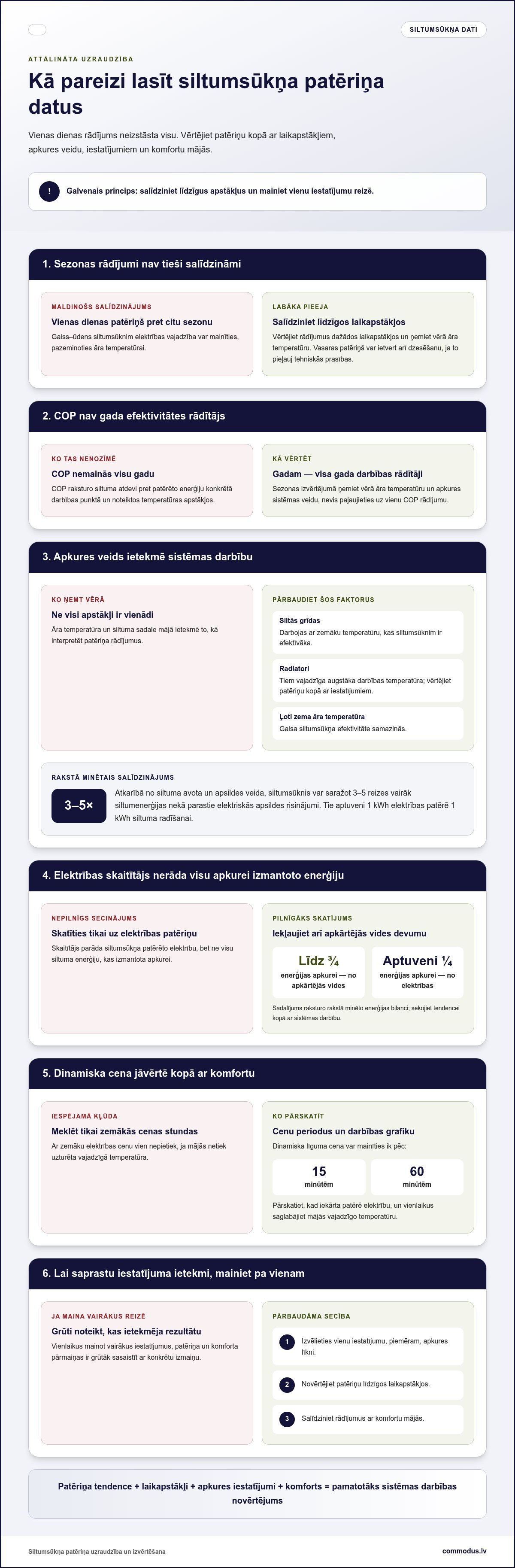
In the remote control panel, follow the consumption and performance of the heat pump. Compare it in different weather conditions, not after one day. The electricity needed for the air-water heat pump may change with the outdoor air temperature decreasing. Therefore, winter readings and summer consumption are not directly comparable. In the summer system can also be used for cooling the space, if technical requirements are met.
To assess efficiency, look at COP or heat return to energy consumed. COP describes the operation at a specific operating point and at certain temperature conditions, so it is not a constant indicator for the whole year. Annual efficiency is measured by all year's performance. When evaluating season, take into account the outdoor temperature and the type of heating system.
The heat pump produces 3 1⁄2 times more heat than conventional electric heating solutions depending on the heat source and type of heating. They consume about 1 kWh of electricity to generate one kWh of heat. However, the result is also influenced by the distribution of heat in the house:
- Warm floors operate at a lower temperature, which is more efficient for the heat pump.
- The radar need a higher operating temperature, so you should assess the system's consumption together with its settings.
- The efficiency of the air heat pump decreases when the outdoor air temperature becomes very low.
If you have a dynamic electricity contract price, it can change every 15 or 60 minutes during the day. Review the price periods and the heat pump operating schedule to understand when the appliance consumes electricity. Do not assess savings after lower price hours: it is also important to keep the temperature at home.
The practical approach is to change one setting and then compare consumption rates in similar weather conditions. First, for example, review the heating curve and assess its impact on both comfort and consumption.
In the energy balance, the heat pump's electricity consumption should not be taken as the total energy used for heating. The heat pump for up to three quarters of the energy heating comes from the environment, but about one quarter of the electricity. This distribution allows for a broader interpretation of the reading: the meter shows the electricity consumption, while the environmental contribution is also used for heating purposes. Therefore, follow the trend of consumption along with the operation of the system, rather than draw conclusions from just one figure.
By comparison, electric heating can consume almost half of the electric vehicle's electricity in winter. This example helps to keep in mind that heating consumption must be assessed in relation to the heating needs of the dwelling and not in isolation from other energy consumers. When looking at the readings, consider how much electricity is used for space heating and how the heat pump works to meet the comfort required.
Remote management and daily schedules
The efficiency of remote control depends on how often your daily plans change. It is also important to understand how the heat pump reacts to the changes in the schedule.
Remote control options for heat pump
The control of the heat pump over the Internet allows you to adjust the operation of the device without being at home. Check whether you need daily management or the possibility to change settings even in unforeseen situations. If there are several users at home, agree who will change the settings. This will help avoid conflicting commands and uncertainty about the chosen mode.
Setting daily schedules
When creating a schedule, also predict the days when the usual rhythm changes. If the control system allows you to change the schedule temporarily, use this option instead of transforming the whole weekly plan. After the change, wait to assess if the setting is appropriate. The heat pump management through the Internet is useful if the schedule corresponds to the actual use of the dwelling.
Are there any limitations of the regulatory framework or guarantee in Latvia? When remotely driving, follow the manufacturer's instructions for use. They help you to use the control functions of the particular model in the intended way.
Do you need a subscription or a cloud service? This depends on the specific management system. Before using, check whether the selected platform requires a user account, cloud service or subscription.
What if the heat pump or app loses its Internet connection? Until the connection is restored, remote commands will not be available. If setting changes on site, use the local control panel of the device according to the instructions for use.
Home microclimate management systems
Smart control system allows to regulate the microclimate of the house on the Internet by combining heating, cooling and ventilation settings. Start with the rooms that you most often stay in, such as living room and bedroom. Then decide which changes you want to make remotely and which to leave for automatic control.
The microclimate is not only determined by temperature. Air exchange is also important, and whether the air seems too dry or wet. In the control system, look at each individual reading available and assess how changing settings affects your sense of well-being. For example, if you become quite neat after closing the windows in the room, first review the ventilation mode and not immediately change the heating settings.
Remote management is useful if the use of the dwelling changes during the day. Before you are absent, you can adjust the mode and restore your normal settings when you return. Change them one by one: select the space first, then compare the required mode and then compare the result. It will be easier to understand which change improves comfort.
The heat pump system can also be used for cooling the premises if the technical requirements are met. Therefore, evaluate the summer settings separately from the heating mode. During cooling, take into account the use of the premises and the temperature chosen, instead of using one mode in all situations.
For the system to function in a comprehensible way, set up a simple test procedure:
- Open the control panel and review the settings of your home or separate room.
- Change one mode, e.g. heating to cooling, if the system allows.
- Watch the room conditions and adjust the setting if comfort is not enough.
This approach helps you to understand what caused the change. If you change several settings at the same time, it is harder to determine which one affected the result. Write down which room and what mode changed, then compare the observations and save the settings that match your daily home rhythm.
The main components of the system are compressor, condenser, expansion valve and evaporator.
Consider the possibility of reserve power separately. During the current break, electric vehicles with an adapter can be used as an emergency source of electrical power, for example, to power a home heating circulation pump. Once the power supply is restored, continue to monitor the conditions of the rooms and review the control system settings.
Intelligent heat pump management on the Internet
The choice of smart control system affects how easy to connect the heating management to other home technologies. Compare compatibility, access procedures and data protection settings.
Comparison of apps and smart home solutions
Compare the manufacturer's solution and a universal smart home system after compatibility and management complexity. If you want to manage several home appliances in one place, check whether they can be connected in one system. If heating management is important, assess whether the individual solution provides the necessary access.
How to compare manufacturers' apps and universal smart home solutions? Start with compatibility, available features and user access management. If there are already smart devices at home, check whether the heat pump can be connected to the same system.
Cyber security and data protection
Protect your management account with a unique password and do not share it outside the household. If you can create separate user profiles in the system, give each of you the access you need. Regularly review those family members who still need the account. This reduces the risk that settings will be accidentally changed by another person.
How to ensure cyber security and data protection for Internet management? Use a unique password, limit the range of account users and protect your home network access data. Before transferring your account to another user, report your rights.
What if the heat pump or app loses its Internet connection? Remote changes will not be available temporarily. Keep access to local control and make sure that home owners know where the control panel is located.
Commodus: Air-to-water heat pumps
Commodus helps you to choose, calculate and install an air-water heat pump for home heating, as well as maintain it. If you plan a new system or want to manage heating remotely, evaluate both the needs of the dwelling and the settings needed on a daily basis. The functions controlled on the Internet depend on the chosen equipment and management solution, so discuss how you want to change temperature, follow the operation and adjust the heating schedule.
Commodus also offers air-air and ground heat pumps, as well as air-conditioners. The most suitable solution is the type of heating, layout and cooling needs of your home. Clear requirements help you to choose a system that fits your home and management habits.
Contact Commodus to discuss a suitable heating solution for your house.
Choose a heating solution that suits your daily life
The next step is to understand how you want to use heating and remote control in your home. Write down where the most important thing is stable comfort, when the house is empty and what changes you want to make on the Internet. These priorities will help to focus on practical needs and not just technical parameters.
The control of the heat pump through the Internet is most useful if the facilities are in line with the house usage habits. Commodus offers air-water, air-air and ground heat pumps. When choosing a solution, discuss how it will fit into the home and what remote control options you need.
Contact Commodus to discuss your home with a suitable heating solution and next steps. Contact Commodus, and together you can move towards a smart choice.
Frequently Asked Questions
What applications and control systems are available for heat pumps in Latvia?
The heat pump can usually be controlled in the manufacturer's application or in a compatible smart home system. The choice depends on the control capability of the device and on whether you want to manage only heating or more home systems. Before choosing the application, compare how it displays the condition, settings and operating schedule of the device. A visible control panel facilitates everyday use.
What models of heat pumps support management with wireless network or Internet?
Remotely, you can drive models that are designed for an Internet connection or an appropriate management solution. The manufacturer's name alone is not enough to determine the options of a particular model. For CTC, Mitsubishi, Daikin and NIBE heat pumps, check the management description of the particular installation rather than just by brand. Also, check whether the connection is integrated or necessary for an additional control element.
How to connect the heat pump to the home wireless network and app?
Connect the heat pump control to home wireless network and app, following the installation instructions of the model. Install the app and create an account first. Then connect the device following the schedule specified in the app. Finally, check whether the heat pump is in position and control settings are available.
How to remotely change heat pump temperature, modes and graphics?
Open the heat pump control view in the app, select the desired setting and save changes. Temperature, mode of operation and schedule are usually managed in separate menus, so before saving make sure which setting is changed. If you want to change only the heating time, for example, leave the temperature unchanged. Then check whether the new value is visible in the app.
Comments